🛎️ Shuttles, Dinners and Itineraries, Right on the Reservation
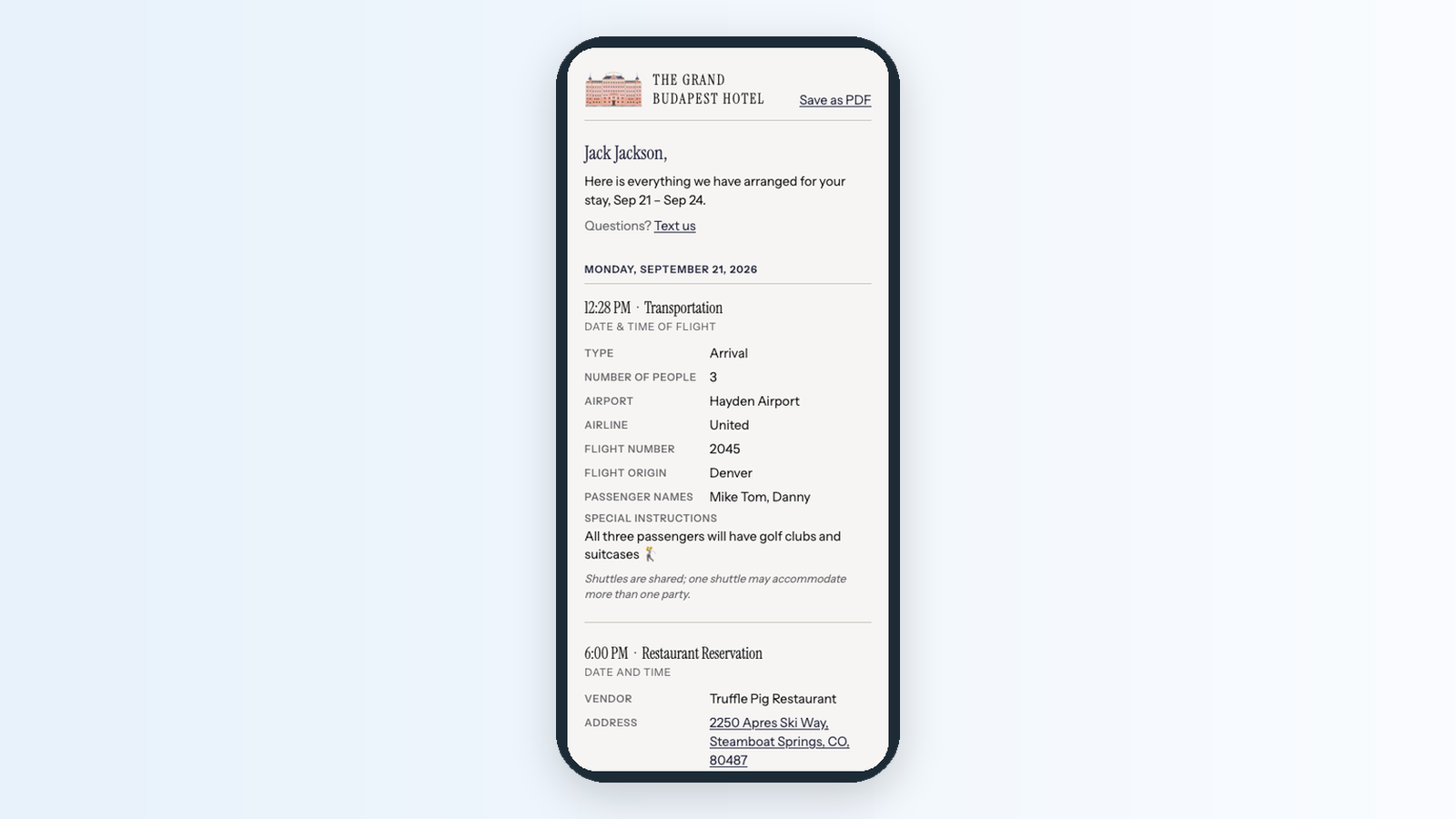
When a guest asks for an airport pickup and a dinner reservation, the details tend to end up on sticky notes, in a spreadsheet, and in a text thread with the driver. Guest Services keeps all of it on the reservation. Your team logs each service once, the people who fulfil it get a task, and the guest gets one itinerary link that stays current as plans are confirmed.
Every service in one place: Add shuttles, restaurant bookings, spa appointments and activities from the Services card on the reservation. Each one moves from Requested to Scheduled to Completed, and turns Updated when a confirmed booking changes, so your team knows what to recheck.
A live itinerary for the guest: Click Send itinerary and the guest gets a page in your brand, by text or email, listing every service by day. When you confirm or change something, they see it the next time they open the link.
The day's manifest, ready to download: Guest › Services lists every service across all reservations, with filters and a spreadsheet download your transport desk can work from.
Your catalog, your way: Admins add, rename and hide services, edit dropdown options and manage vendors under Admin > Settings > Guest services.
On other plans, Guest › Services shows a preview of what it does, with a button to upgrade.
👉 Learn more about Guest Services →
🔧 Fixes and Improvements
Search that finds everything
The search box at the top of every page now finds guests, reservations, rooms, tasks, conversations, wiki pages and more, with results appearing as you type. It forgives small typos in guest names, ignores accents, finds a guest from any part of their phone number, and now works in the HelloShift app on your phone too. Press / to jump straight to it, and click Search all time when you need something older than two years.
👉 Searching in HelloShift →Manual room condition changes can now reach your PMS
If your PMS accepts room status updates, Room Status Push under Admin > Settings > Cleaning > General has a new option: After cleaning and manual changes. With it, a condition someone sets by hand on the room page, or with Set Room Condition on Cleaning Assignments, is sent to your PMS along with cleaning results. A short note under each condition dropdown tells your team whether the change will reach the PMS.
👉 Room Status Sync settings →